JimG
Western Thunderer
Mick,
Following up on Dave's post, here's the layer drop down for my etch artwork in Draftsight - which is the same as AutoCad.
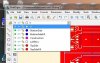
The fill layers are selected when filling whichever etch layer - top or bottom.
Note - the TopSide layer should be red - seems to have changed to grey in the PrintScreen/Irfanview process. - [Later] Now corrected.
Jim.
Following up on Dave's post, here's the layer drop down for my etch artwork in Draftsight - which is the same as AutoCad.
The fill layers are selected when filling whichever etch layer - top or bottom.
Note - the TopSide layer should be red - seems to have changed to grey in the PrintScreen/Irfanview process.
- [Later] Now corrected. Jim.


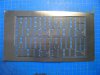
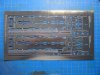


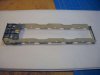
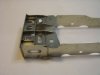
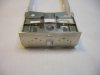
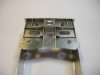
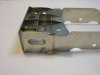


 so that'll be a whole new photo tool, too much of a faff cutting the one end off and sticking it to the other, also found buffer beam to side frame angles a bit thick as is the top flange for the MU socket, could really be a sub part of 5 thou or just cut from 5 thou and left off, added some air control lines and temp fitted the vacuum line, need to make a couple of brackets for that. From the etch theres only a couple of fillets to add and the splashers, maybe tomorrow before I go out the door.